

Zoom OBF
Set up Zoom OBF token flow so your bot can join on behalf of a user and satisfy Zoom’s user-linked join requirements.
In order to use the OBF token feature, please contact support in order to enable using custom SDK credentials for your workspace.
You can use this sample app to see how to generate OBF tokens
Zoom has introduced a new kind of token called “On-Behalf Of” tokens, or OBF for short. These tokens let you associate who sent a Recall bot to a meeting and tie the bot to the lifetime of a user in the meeting.
UX Tradeoffs of OBF tokens
- OBF tokens are short-lived and single-use, so you should mint them just-in-time when you’re about to launch a bot.
- The bot can’t join the meeting until the parent user has already joined (and authorized your app).
- If the parent user leaves the meeting, the bot will be removed from the meeting by Zoom.
Step 1. Setup Zoom App
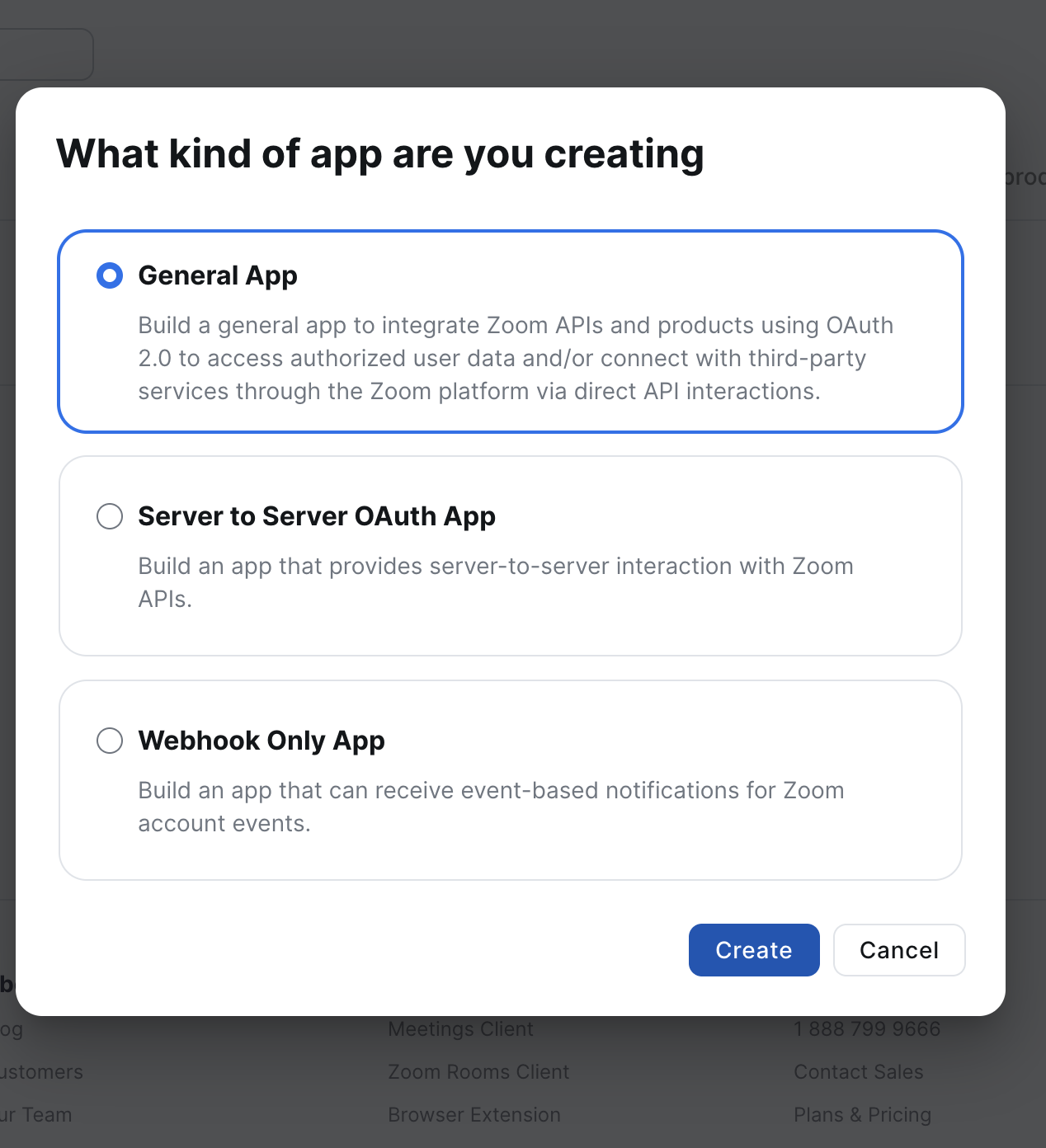
First things first, you'll need to create a Zoom app to get SDK credentials from Zoom.

You'll want to create a "General app"
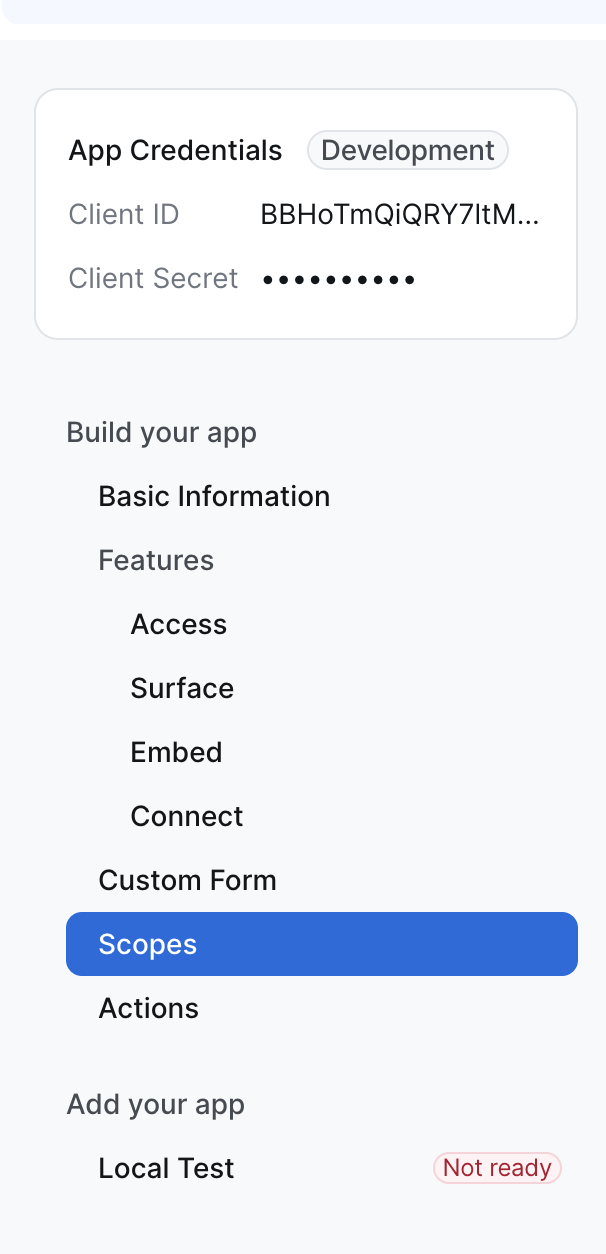
After that, you'll want to navigate over the "Scopes" page and add the following scopes:
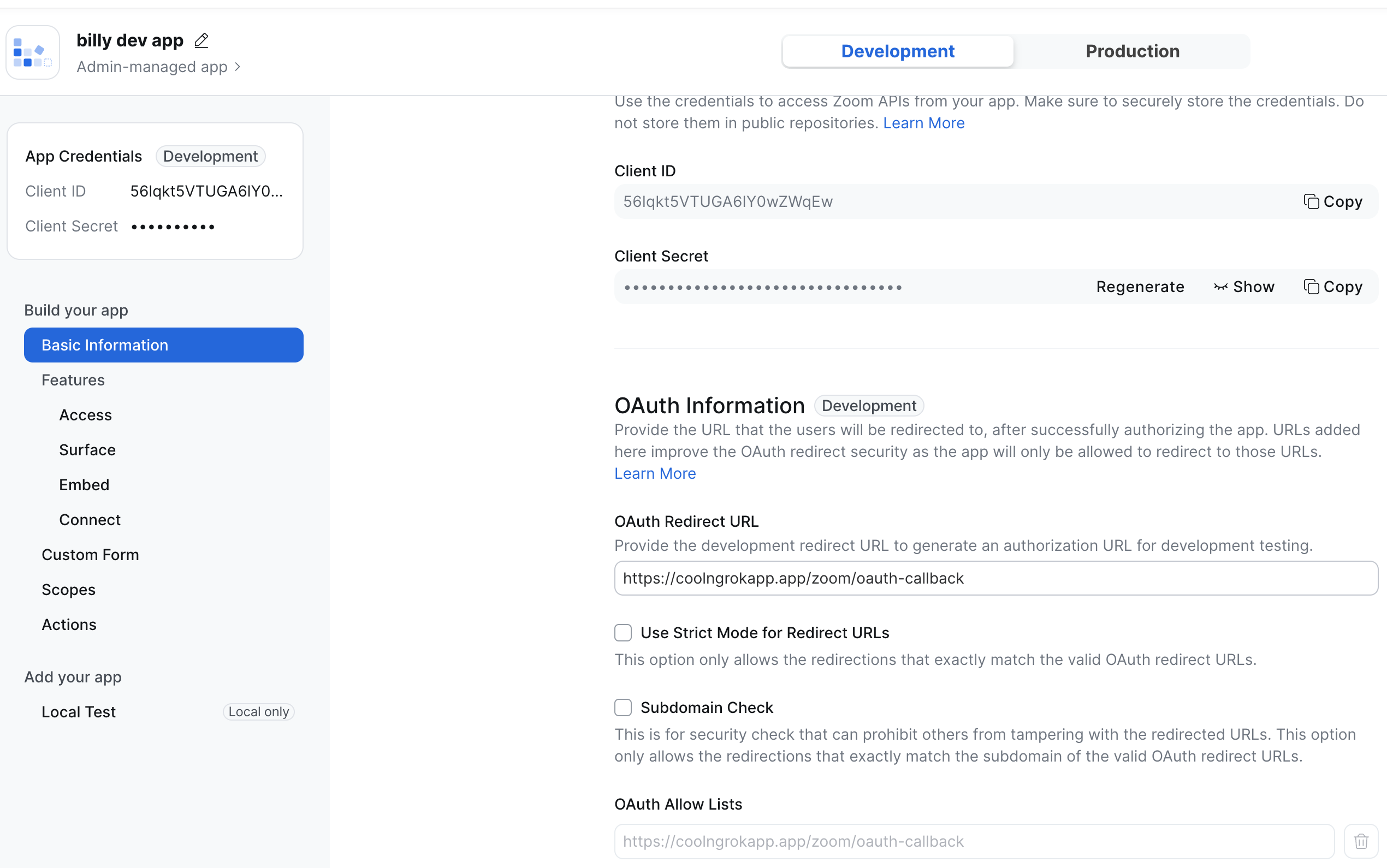
user:read:tokenPlease note down the Zoom SDK Client ID and Secret.
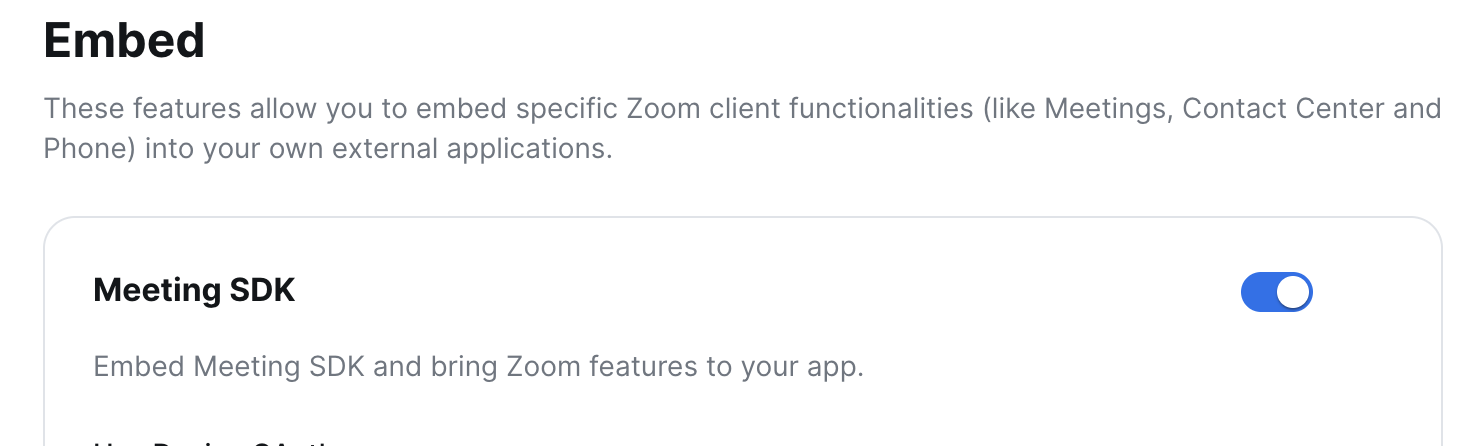
Also, head down to the "Embed" section and be sure to enable the "Meeting SDK" feature
Step 2. Add your SDK Credentials to Recall
Navigate over to the Meeting Bot Setup, and click on the Zoom subsection.
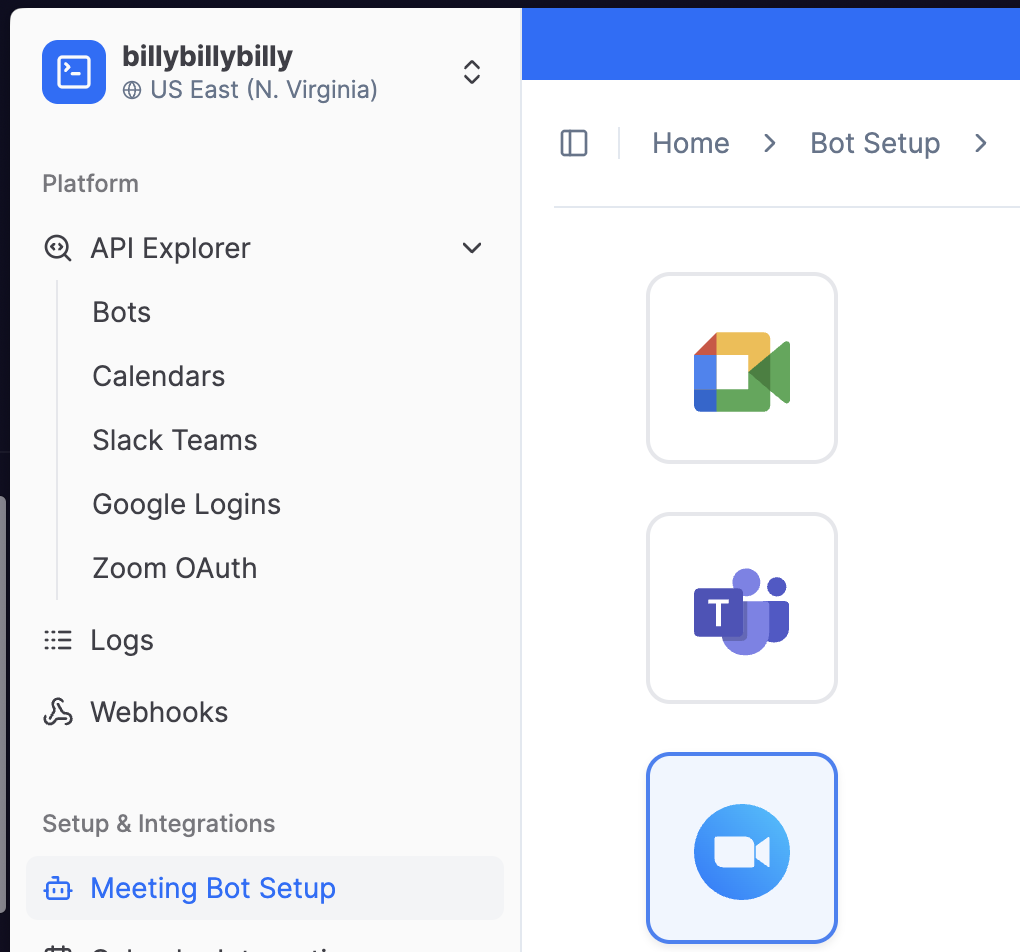
In the fields, please paste in your Client ID and Client Secret.
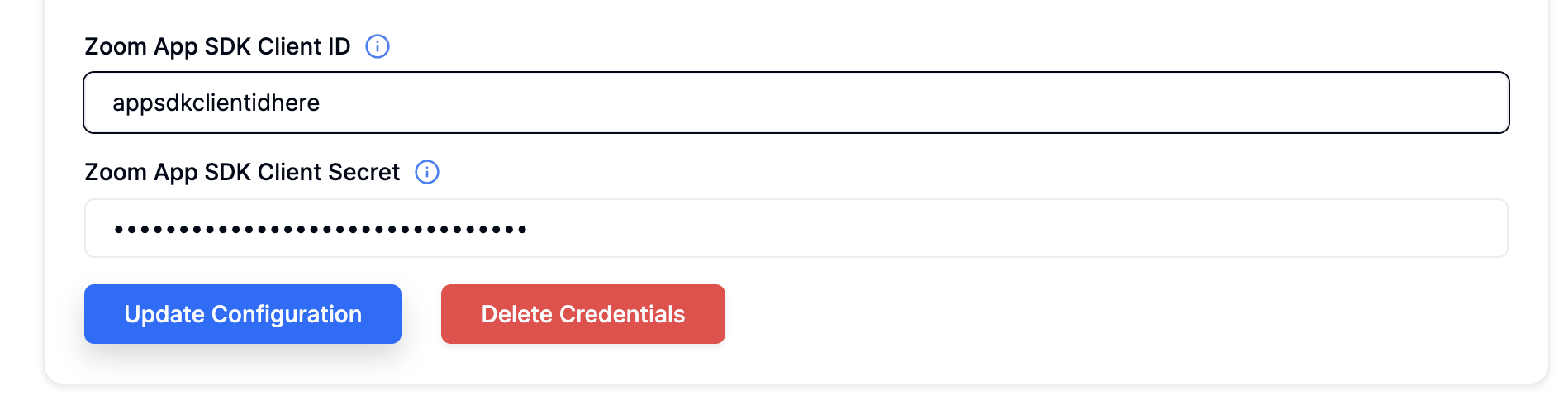
Now that we have Zoom SDK credentials configured in Recall, we just need to create a set of credentials for the bots to use.
Step 3. Setup a callback app
This next part is a bit more custom to your setup. Recall fetches your OBF token by calling a public HTTP endpoint you host. The details of exactly how your app are hosted are entirely up to you, but essentially the goal is to have a single API endpoint that returns a plaintext OBF token.
We have an example repo that you can setup here . This app will need to be publicly accessible in order for Recall's API to fetch the tokens it needs. For development purposes, ngrok can be helpful for making the locally running server accessible from the internet.
You'll want to store a mapping between each user of your app (or session) and the OAuth tokens you’ll use to mint OBF tokens. This is to ensure that the bot is associated with the right user when launching for a particular meeting. In our example app, we're storing the user ID as a cookie, and keeping an in memory map of each user's ID to an OAuth access token. In production, you should store this in your database.
Let's build our own app that generates OBF tokens for use in bots. To start, we'll need to grab an OAuth access token from Zoom:
import express from "express";
import { randomUUID } from "crypto";

const ZOOM_CLIENT_ID = process.env.ZOOM_CLIENT_ID ?? "";
const ZOOM_CLIENT_SECRET = process.env.ZOOM_CLIENT_SECRET ?? "";
const ZOOM_REDIRECT_URI = "https://myapp.dev/zoom/oauth-callback"

interface UserTokens {
  visibleUserId: string;
  accessToken: string;
  refreshToken: string;
  refreshIntervalId: NodeJS.Timeout | null;
}

interface OAuthTokenResponse {
  access_token: string;
  token_type: string;
  refresh_token: string;
  expires_in: number;
  scope: string;
  api_url: string;
}

// User ID <-> Token Info
const users = new Map<string, UserTokens>();

function generateAuthorizationHeader(): string {
  const credentials = Buffer.from(`${ZOOM_CLIENT_ID}:${ZOOM_CLIENT_SECRET}`).toString("base64");
  return `Basic ${credentials}`;
}

async function generateOAuthToken(authCode: string): Promise<{ accessToken: string; refreshToken: string }> {
  const params = new URLSearchParams({
    grant_type: "authorization_code",
    code: authCode,
    redirect_uri: ZOOM_REDIRECT_URI,
  });

  const response = await fetch("https://zoom.us/oauth/token", {
    method: "POST",
    headers: {
      "Content-Type": "application/x-www-form-urlencoded",
      Authorization: generateAuthorizationHeader(),
    },
    body: params.toString(),
  });

  const data = (await response.json()) as OAuthTokenResponse;
  return { accessToken: data.access_token, refreshToken: data.refresh_token };
}

const app = express();
app.use(express.urlencoded({ extended: true }));

app.get("/zoom/oauth", (req, res) => {
  const url = `https://zoom.us/oauth/authorize?response_type=code&client_id=${ZOOM_CLIENT_ID}&redirect_uri=${ZOOM_REDIRECT_URI}`;
  res.redirect(url);
});


app.get("/zoom/oauth-callback", async (req, res) => {
  const authCode = req.query.code as string;

  const tokens = await generateOAuthToken(authCode);
  const userId = randomUUID();

  const userTokens: UserTokens = {
    visibleUserId: userId,
    accessToken: tokens.accessToken,
    refreshToken: tokens.refreshToken,
    refreshIntervalId: null,
  };

  users.set(userId, userTokens);

  res.cookie("user_id", userId, { httpOnly: true, maxAge: 30 * 24 * 60 * 60 * 1000 });
  res.send(`successfully generated and stored oauth token ${tokens.accessToken} for user: $USERID`);
});

app.listen(9567, "::");
In this case, users would visit /zoom/oauth , which redirects them to Zoom. Zoom will then ask the user to confirm granting our app access to their account, and Zoom will then redirect back to /zoom/oauth-callback. In the /zoom/oauth-callback, we do 2 things:
- We ask Zoom for an OAuth access token, based on the auth
codethey give us in the callback - We store the user's ID as a cookie in the user's browser, as a way to authenticate the user.
We also store a refresh token that Zoom's API sends us, which we can use to continually get new access tokens.
// existing /zoom/oauth-callback code...

// NEW: refresh the user's access token every 20 minutes
userTokens.refreshIntervalId = setInterval(async () => {
  try {
    const newTokens = await refreshOAuthToken(userTokens.refreshToken);
    userTokens.accessToken = newTokens.accessToken;
    userTokens.refreshToken = newTokens.refreshToken;
  } catch (error) {
    console.error("error refreshing oauth token", error);
  }
}, 20 * 60 * 1000);

users.set(userId, userTokens);
As mentioned previously, you'll also need an API endpoint that Recall can hit in order to mint a new OBF token for the bot. When exposing a public API endpoint that can mint tokens to the internet, you'll want to verify that the requests are being made from Recall, and not from a malicious service. We have a more in depth guide on verifying requests are from Recall here. In order to focus on the ZAK flow implementation, however, we'll use a simpler authentication scheme in this example.
Zoom may still return a ZAK/OBF token even when the underlying OAuth
access_tokenis technically expired.
To avoid join failures, you should track token expiry yourself and proactively refresh before minting an OBF token
(don’t treat “token mint succeeded” as proof the OAuth token is fresh).
let RECALL_CALLBACK_SECRET = process.env.RECALL_CALLBACK_SECRET ?? "helloWorld";

async function generateObfToken(accessToken: string): Promise<string> {
  const url = `https://api.zoom.us/v2/users/me/token?type=onbehalf`;
  const response = await fetch(url, {
    headers: { Authorization: `Bearer ${accessToken}` },
  });

  const data = (await response.json()) as TokenResponse;
  return data.token;
}

function verifyRequestIsFromRecall(authToken: string | undefined): boolean {
  return authToken === RECALL_CALLBACK_SECRET;
}

app.get("/recall/obf-callback", async (req, res) => {
  if (!verifyRequestIsFromRecall(req.query.auth_token as string | undefined)) {
    console.error("recall auth secret provided is incorrect");
    res.status(401).send("recall auth secret provided is incorrect");
    return;
  }

  const userId = req.query.user_id as string | undefined;
  const userTokens = users.get(userId);
  if (!userTokens) {
    res.status(503).send(`oauth token not found for user: $USERID. please visit /zoom/oauth`);
    return;
  }

  const obfToken = await generateObfToken(userTokens.accessToken);
  res.send(obfToken);
});
The main difficulty involved then becomes how to specify the user's access token when generating the OBF token. We can write a little endpoint to allow any user who's already hit /zoom/oauth to launch a bot into a new meeting, using an OBF token.
Before we do that though, we'll need to modify our app's configuration in Zoom one more time. Specifically, set the OAuth information to match both the redirect URL, as well as adding the callback URL you configured to the allow list.
Step 4. Running your bot
Let's write a final API call that allows authenticated users to launch bots. First, let's add a new page that users can visit in their browser:
function getCookie(req: express.Request, name: string): string | undefined {
  const cookies = req.headers.cookie?.split("; ") ?? [];
  for (const cookie of cookies) {
    const [key, value] = cookie.split("=");
    if (key === name) return value;
  }
  return undefined;
}

app.get("/launch", (req, res) => {
  const userId = getCookie(req, "user_id");
  if (!userId || !users.has(userId)) {
    res.status(401).send("not authenticated. please visit /zoom/oauth first");
    return;
  }

  res.send(`
    <!DOCTYPE html>
    <html>
    <head><title>Launch Bot</title></head>
    <body>
      <h1>Launch Recording Bot</h1>
      <p>Logged in as: $USERID</p>
      <form method="POST" action="/launch">
        <label>Zoom Meeting URL:</label><br>
        <input type="text" name="meeting_url" style="width: 400px" placeholder="https://zoom.us/j/123456789" required><br><br>
        <button type="submit">Launch Bot</button>
      </form>
    </body>
    </html>
  `);
});
We'll send a request to Recall's API to launch a new bot when the form gets submitted.
const RECALL_API_KEY = process.env.RECALL_API_KEY ?? "";

app.post("/launch", async (req, res) => {
  const userId = getCookie(req, "user_id");
  if (!userId || !users.has(userId)) {
    res.status(401).send("not authenticated. please visit /zoom/oauth first");
    return;
  }

  if (!RECALL_API_KEY) {
    res.status(500).send("RECALL_API_KEY is not configured");
    return;
  }

  const meetingUrl = req.body.meeting_url as string | undefined;

  const obfTokenUrl = `${BASE_URL}/recall/obf-callback?auth_token=${RECALL_CALLBACK_SECRET}&user_id=$USERID`;

  const response = await fetch("https://us-east-1.recall.ai/api/v1/bot", {
    method: "POST",
    headers: {
        "Authorization": `Token ${RECALL_API_KEY}`,
        "Content-Type": "application/json",
      },
    body: JSON.stringify({
        meeting_url: meetingUrl,
        bot_name: "Recall Bot",
        zoom: {
          obf_token_url: obfTokenUrl,
        },
        automatic_leave: {
          // you can set the waiting room timeout to determine how long the bot will wait for the OBF user to join the meeting
          waiting_room_timeout: 1200,
        }
      }),
  });

  const data = await response.json();

  if (!response.ok) {
    console.error("recall API error:", data);
    res.status(response.status).send(`recall API error: ${JSON.stringify(data)}`);
    return;
  }

  res.send(`
      <!DOCTYPE html>
      <html>
      <head><title>Bot Launched</title></head>
      <body>
        <h1>Bot Launched Successfully</h1>
        <p>Bot ID: ${(data as { id: string }).id}</p>
        <p><a href="/launch">Launch another</a></p>
      </body>
      </html>
    `);
});
Notice the obfTokenUrl specifically
const obfTokenUrl = `${BASE_URL}/recall/obf-callback?auth_token=${RECALL_CALLBACK_SECRET}&user_id=$USERID`We pass in 2 query parameters:
auth_token: a secret string to prevent random scrapers on the internet from minting new OBF tokensuser_id: the user ID that is associated with the access token needed to mint OBF tokens
The Recall bot will then send a GET request to the OBF token URL we provide, and grab the plaintext OBF token our API returns.
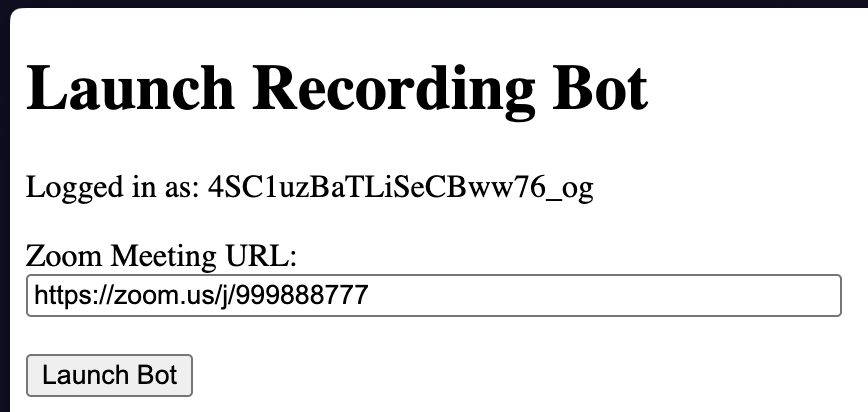
Go and visit https://<your_base_url>/launch, and you should see something like:
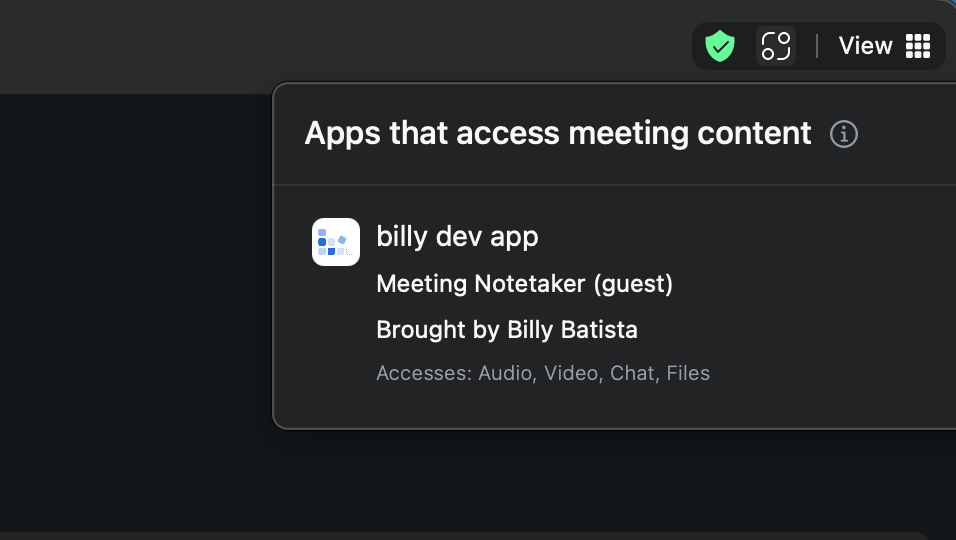
Upon launching the bot, you can verify that the bot joined with an OBF token by clicking on the little apps icon in the corner, and ensuring that your app shows up as being "Brought by" another user.
Step 5. Going to production
The final step to getting your customers using your Zoom app is to publish it, in order to allow minting tokens for users outside of your organization. We have a detailed guide here.
FAQ
Why didn't my bot join with OBF?
If your bot is entirely unable to join your Zoom meeting, or doesn't show the "Brought by" tag
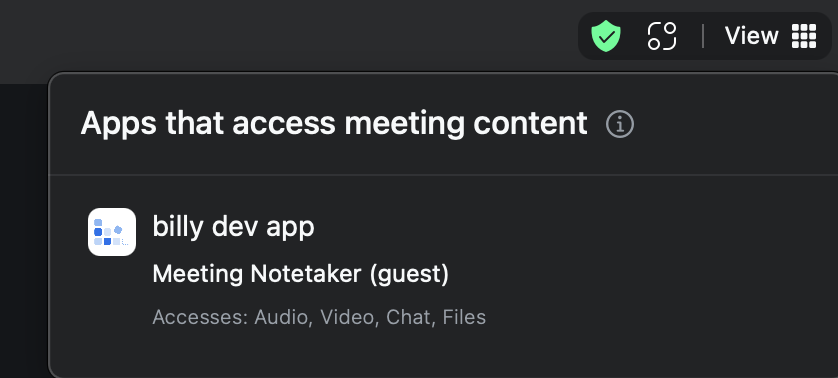
It's likely the case that the meeting bot was unable to fetch the OBF token. Note that the "Brought by" tag will only show on the latest version of the Zoom client. Taking a look at the bot's logs can help provide information of the specific details of the issue.

Updated 5 months ago