Outputting Images/Video From a Bot's Camera/Screenshare
Output an image or video for your bot to customize the experience.
Recall bots can output dynamic video, GIFs, or a static “image” into the meeting. Even if your goal is to change the bot’s image, meeting platforms implement this as a participant’s video stream via the camera output or screenshare.
For videos (e.g. playing videos, gifs, interactive agents): use Output Media.
For images (e.g. static JPEGs): use either automatic_video_output at bot creation, or call the Output Video endpoint on-demand.
📘
Choosing an Image (JPEG)
Since meeting platforms have constraints around video output resolution, your image should follow these guidelines to achieve the best quality output:
The image should be in jpeg format.
The image should be 16:9 and the recommended resolution is 1280x720.
The maximum size is 1.3MB, though we recommend attaching smaller images if possible.
Export at high quality (JPEG quality 85-95)
If your image includes text, use bolder fonts with a minimum size of 50px. Larger is generally better.
Use solid colors and minimal gradients (or avoid if possible)
Design the image at 2560 × 1440 (or larger) and then downscale it to 1280 × 720. The algorithm matters here: Avoid bilinear ("nearest") if you can.
Follow our safezone guidelines below
Note: The maximum resolution that most meeting platforms will accept is 1280x720, so anything larger than that will be downscaled.
Safezone Guidelines
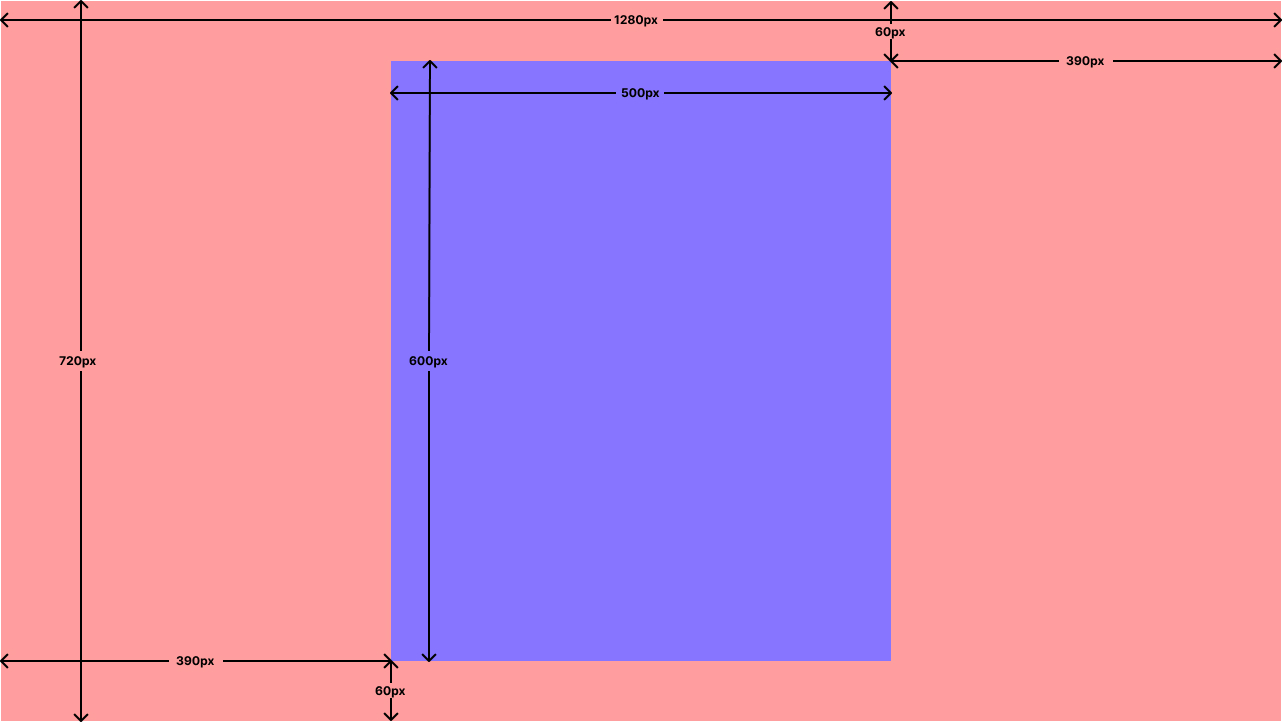
Some meeting platforms (i.e. Google Meets) have adaptive participant video screen sizes. To ensure that your image is visible, we recommend the content be within the bounding box shown below:
The blue box is the area which your content will be visible across all screen sizes
Outputting dynamic Videos / GIF / Avatars: Output Media
If your use case requires outputting MP4s or GIFs (for example, dynamic visual output, animations, or agent-driven visuals), use Output Media.
This is the recommended path for:
Outputting MP4 clips into the meeting
Outputting GIF animations into the meeting
Any “dynamic” visual content that goes beyond a static JPEG image
Outputting Static JPEG Images
If you simply want to output an image when a bot is in the call, the automatic_video_output is a convenient way to achieve this, since no additional API calls are needed.
There are two different ways to change the bot's video output:
Using the automatic_video_output configuration when calling Create Bot (best for static “always-on” images)
Calling the Output Video endpoint (best for manual / programmatic updates)
Method 1: Using automatic_video_output (static image on join / state)
Create Bot has two options for configuring video using the automatic_video_output object:
in_call_not_recording
in_call_recording
Configuring these will cause the bot to output video when the bot is in the in_call_not_recording and in_call_recording states, respectively. You can use both parameters to show a different image depending on whether or not the bot is recording.
Each of these takes the same object parameters:
kind - The type of data encoded in the b64 string (Currently only jpeg is supported)
b64_data - Data encoded in Base64 format, using the standard alphabet (as specified here)
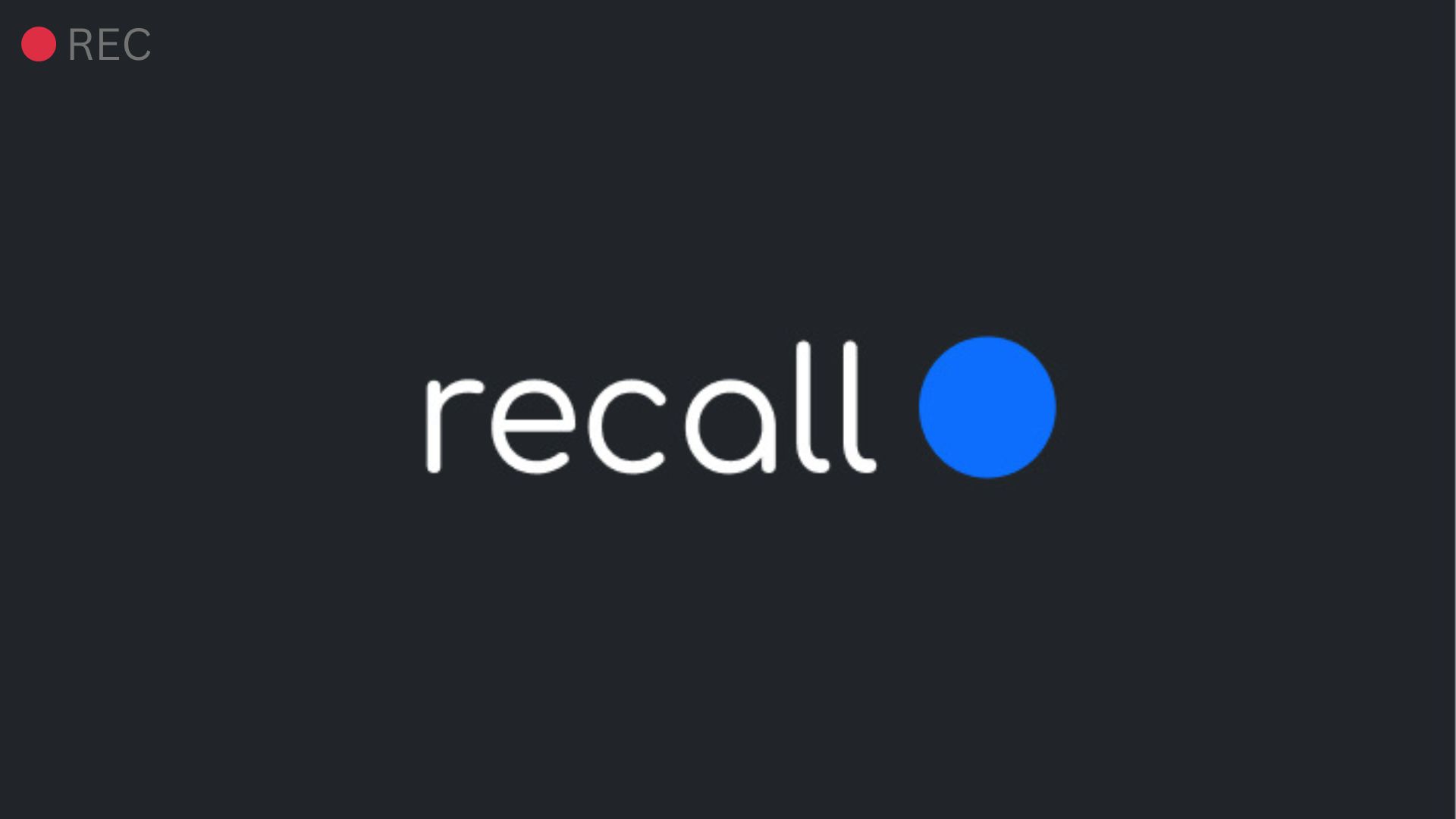
Let's say I want the bot to display this image once it begins recording (in_call_recording):
To do this, first convert the image to a b64 string using an online tool or a CLI tool like ffmpeg.
Once you have the b64 encoded string, provide it in the automatic_video_output.in_call_recording config when calling Create Bot:
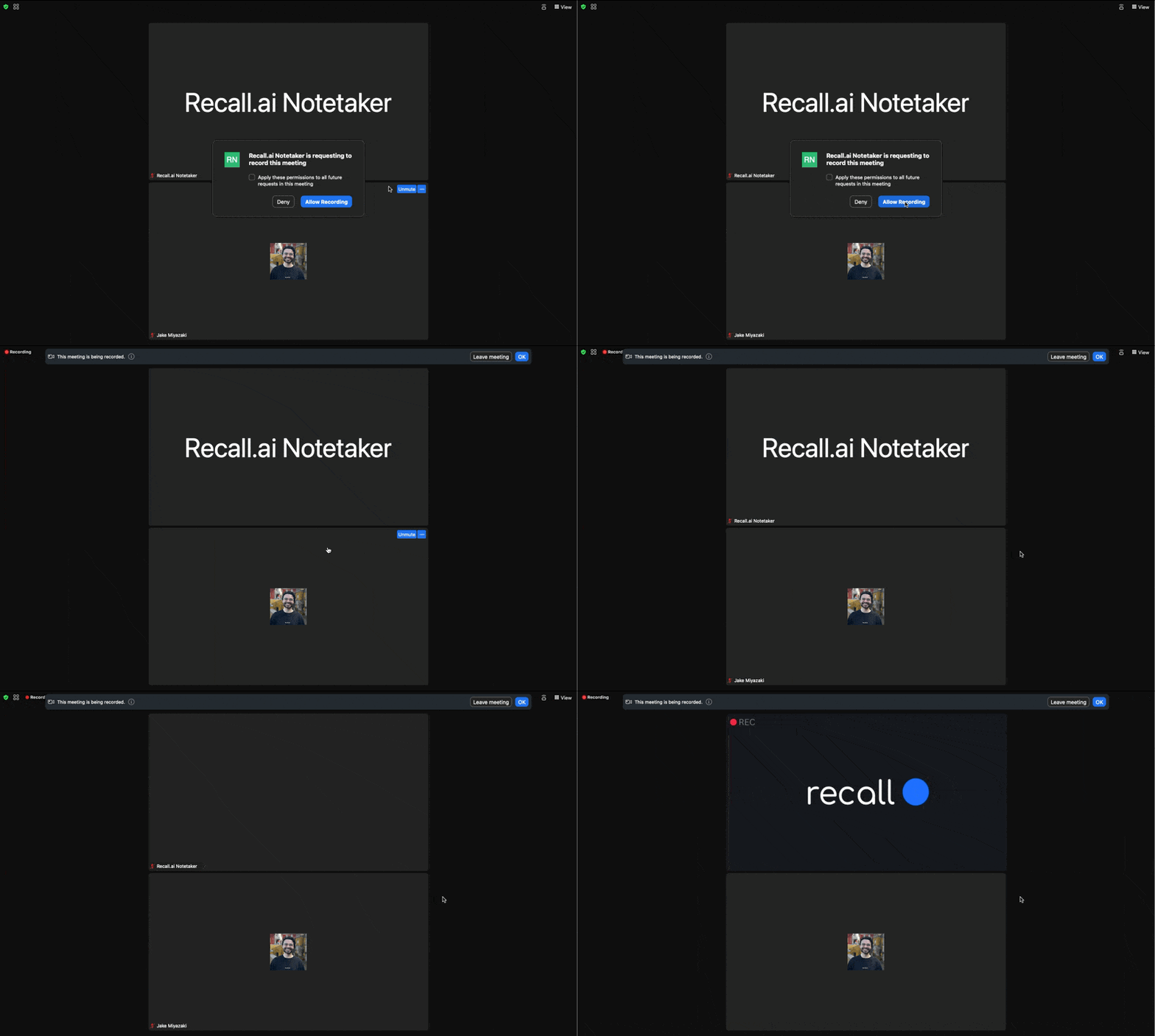
Now once the bot joins the call and begins recording, it will automatically display this image:
Automatically updating the bot's image using automatic_video_output.in_call_recording
Method 2: Using the Output Video endpoint (manual updates)
If you need more granular control over when the image on the bot is updated, you can call the Output Video endpoint at any point when the bot is in a call.
The parameters for the request are the same as the automatic video output configuration.