
Eleven Labs
Configure ElevenLabs transcription in Recall so you can generate real-time and async meeting transcripts.
Setup
- Create a new API key, and make sure it has access to Eleven Labs Speech-to-Text:
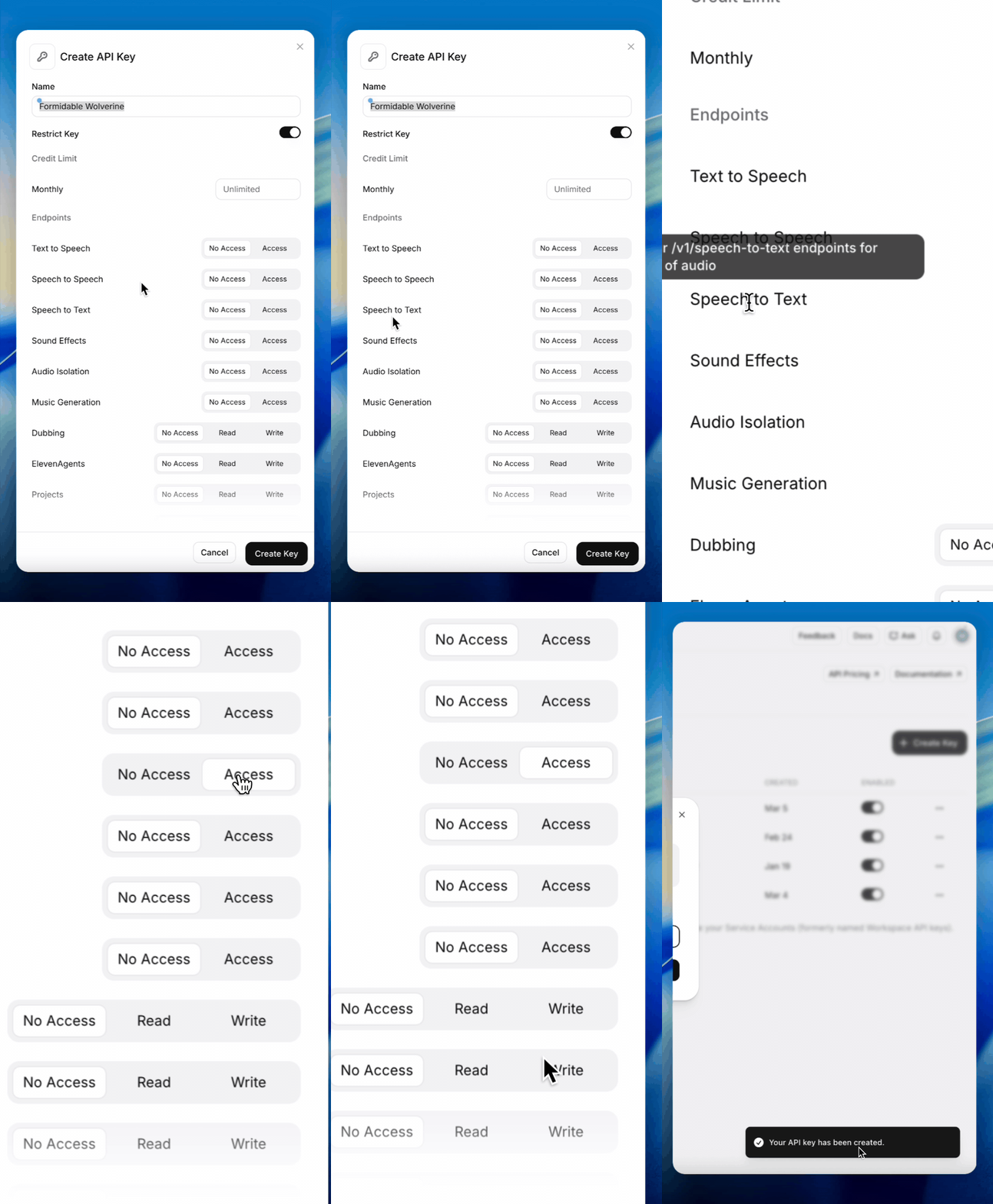
- Add the key in the dashboard Explorer Dashboard:
When adding your ElevenLabs API key in the dashboard, make sure you set the Data Residency appropriately, or else you may get the following error:
{"message_type":"auth_error","error":"You must be authenticated to use this endpoint."}By default, ElevenLabs only supports US data residency unless you're on an ElevenLabs enterprise plan. More info can be found in their documentation here.
For Async transcription
- Add a new webhook endpoint and make sure it points to the correct recall region you are in:
- Make sure "Transcription Completed" is checked for the webhook.
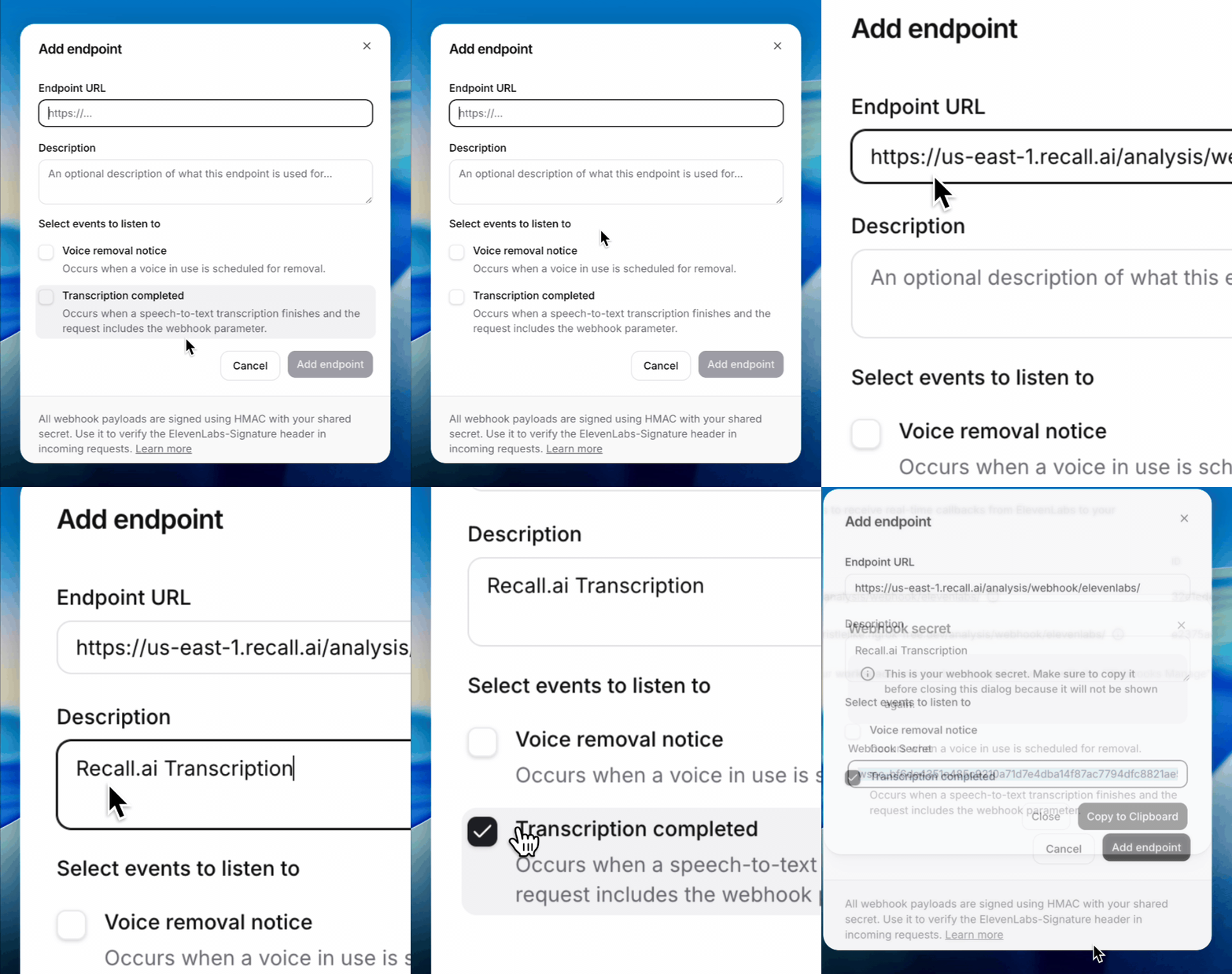
- Add the webhook secret in the dashboard Explorer Dashboard:
Example Realtime Transcription Request
curl --request POST \
  --url https://us-west-2.recall.ai/api/v1/bot/ \
  --header "Authorization: $RECALL_API_KEY" \
  --header "accept: application/json" \
  --header "content-type: application/json" \
  --data @- <<EOF
{
  "meeting_url": "$MEETING_URL",
  "recording_config": {
    "transcript": {
      "provider": {
        "elevenlabs_streaming": {
          "model_id": "scribe_v2_realtime"
        }
      }
    }
  }
}
Example Async Transcription Request
curl --request POST \
     --url https://us-west-2.recall.ai/api/v1/recording/{RECORDING_ID}/create_transcript/ \
     --header "Authorization: $RECALLAI_API_KEY" \
     --header "accept: application/json" \
     --header "content-type: application/json" \
     --data '{
  "provider": {
    "elevenlabs_async": {
      "model_id": "scribe_v2"
    }
  }
}'
For a list of options available, see the eleven labs API docs.
Updated 24 days ago