

Overview of Recall webhooks.
Recall uses webhooks to push data or notify your server when certain events happen. There are a few different types of webhooks to be aware of. You may find yourself using some, none, or all of these depending on your application and use case.
Webhook Types
| Webhook Type | Where to setup | Links |
|---|---|---|
| Bot status change | Webhooks Dashboard (Svix webhook) | Bot Status Change Events |
| Recording status change | Webhooks Dashboard (Svix webhook) | Recording Webhooks |
| Transcript status change | Webhooks Dashboard (Svix webhook) | Transcript Webhooks |
| Calendar V2 | Webhooks Dashboard (Svix webhook) | Calendar V2 Webhooks |
| Transcription | Real-time Endpoint | Async Transcription Real-time transcription - meeting bots Real-time transcription - desktop recording SDK |
| Participant Events | Real-time Endpoint | Real-Time Webhook Endpoints |
Configuring webhooks
Depending on the system (svix vs real-time endpoint), there are two ways to configure webhooks
Svix webhook setup
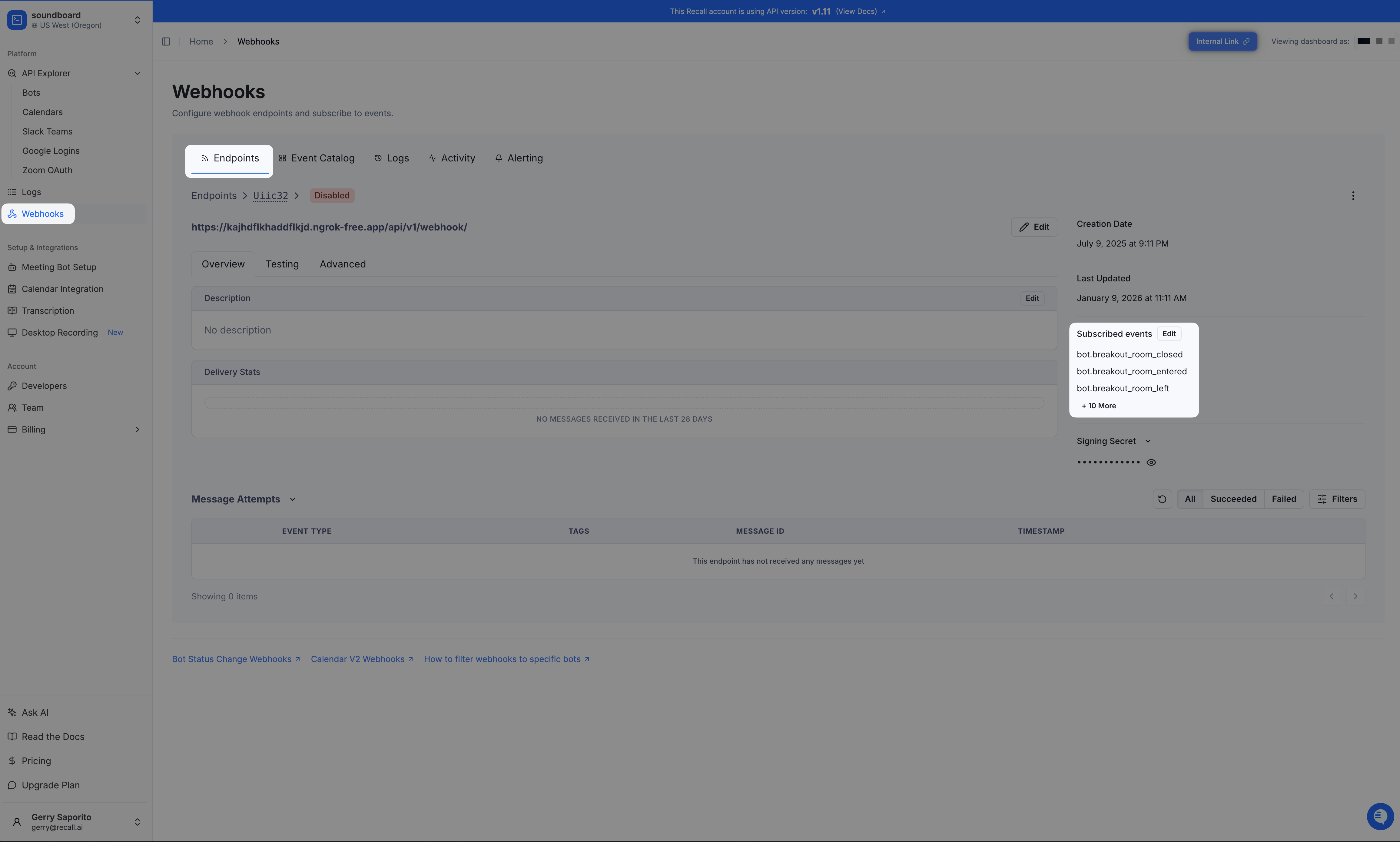
Make sure that you've subscribed to all events that you want to receive. If you are not subscribed to a specific event, it will not be sent to your webhook endpoint.
How to subscribe to Svix webhook events
What regions are Svix webhooks sent from?
| Recall region | Svix region for new workspaces | Source IPs |
|---|---|---|
us-east-1 | US | Svix US list |
us-west-2 | US | Svix US list |
eu-central-1 | EU | Svix EU list |
ap-northeast-1 | US | Svix US list |
Real-time endpoints webhook setup
Read more about how to configure your real-time endpoint webhook
Verifying webhooks
See here for how to verify webhooks.
Retry Schedules
You can stop retries by returning a successful response for the webhook request (e.g. 2xx)
The retry schedules differ between webhook providers:
Svix Webhook Retry Policy
Each message is attempted based on the following schedule, where each period is started following the failure of the preceding attempt:
- Immediately
- 5 seconds
- 5 minutes
- 30 minutes
- 2 hours
- 5 hours
- 10 hours
- 10 hours (in addition to the previous)
If an endpoint is removed or disabled delivery attempts to the endpoint will be disabled as well.
For example, an attempt that fails three times before eventually succeeding will be delivered roughly 35 minutes and 5 seconds following the first attempt.
Read more about svix's retry policy here.
Real-time Endpoint Webhooks Retry Policy
Read more about the real-time endpoint webhooks retry policy here.
FAQs
Can I increase the timeout for webhook requests?
No, you cannot increase the timeout for webhook requests.
There may be cases where you can't process the webhook before the request times out, in which case the request would have been considered as failed and the request is retried (even if the work has completed after the request has timed out). To avoid this, you should process the work async and immediately return a successful response to prevent the webhook from retrying.
Why did the svix webhook endpoint automatically disabled?
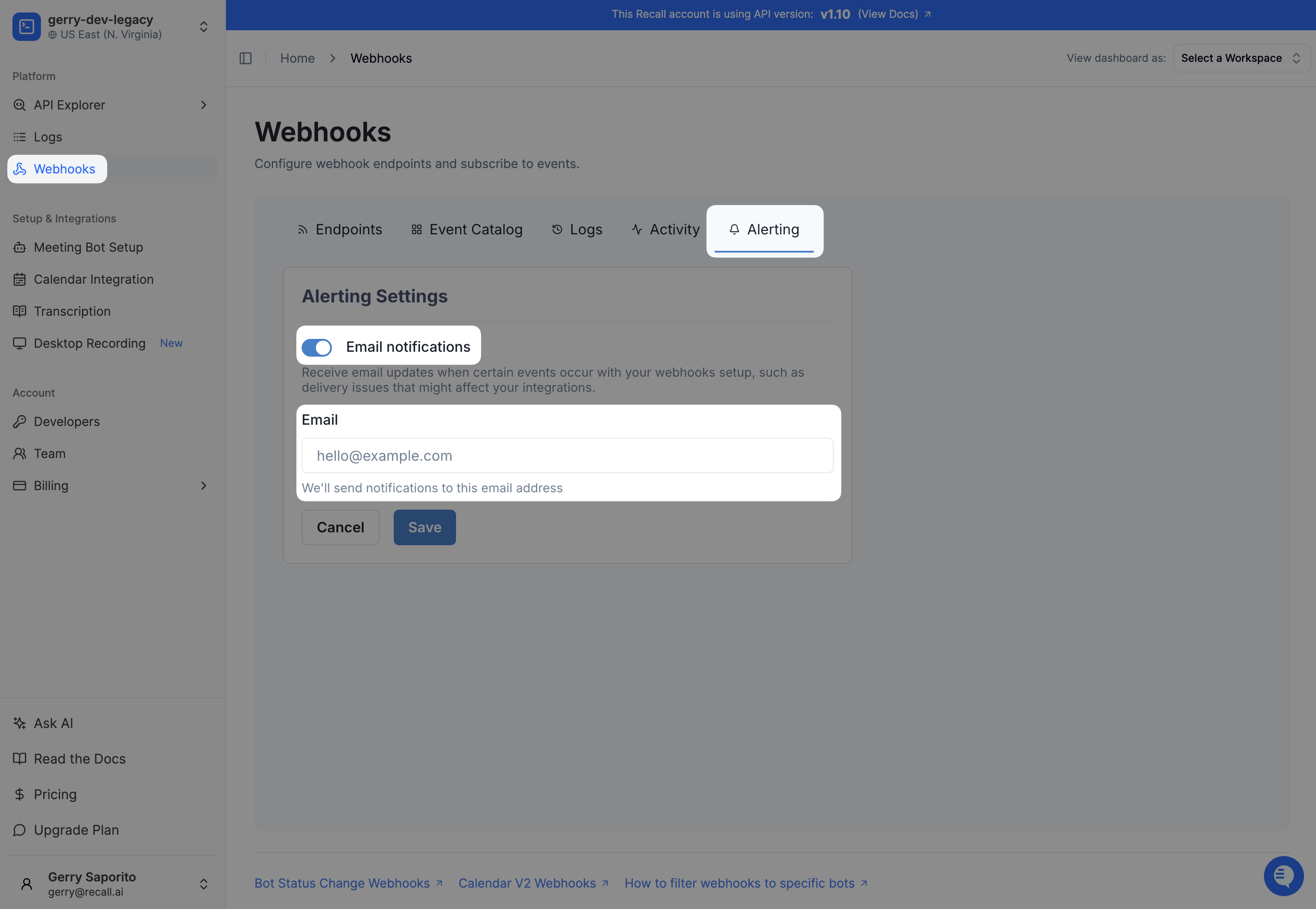
If all webhooks sent to a particular endpoint in svix fails for 5 days, the endpoint will be automatically disabled.
Endpoints can be re-enabled in the webhooks dashboard (see callout at top of doc to find your region's webhooks dashboard link). More details can be found in the Svix documentation.
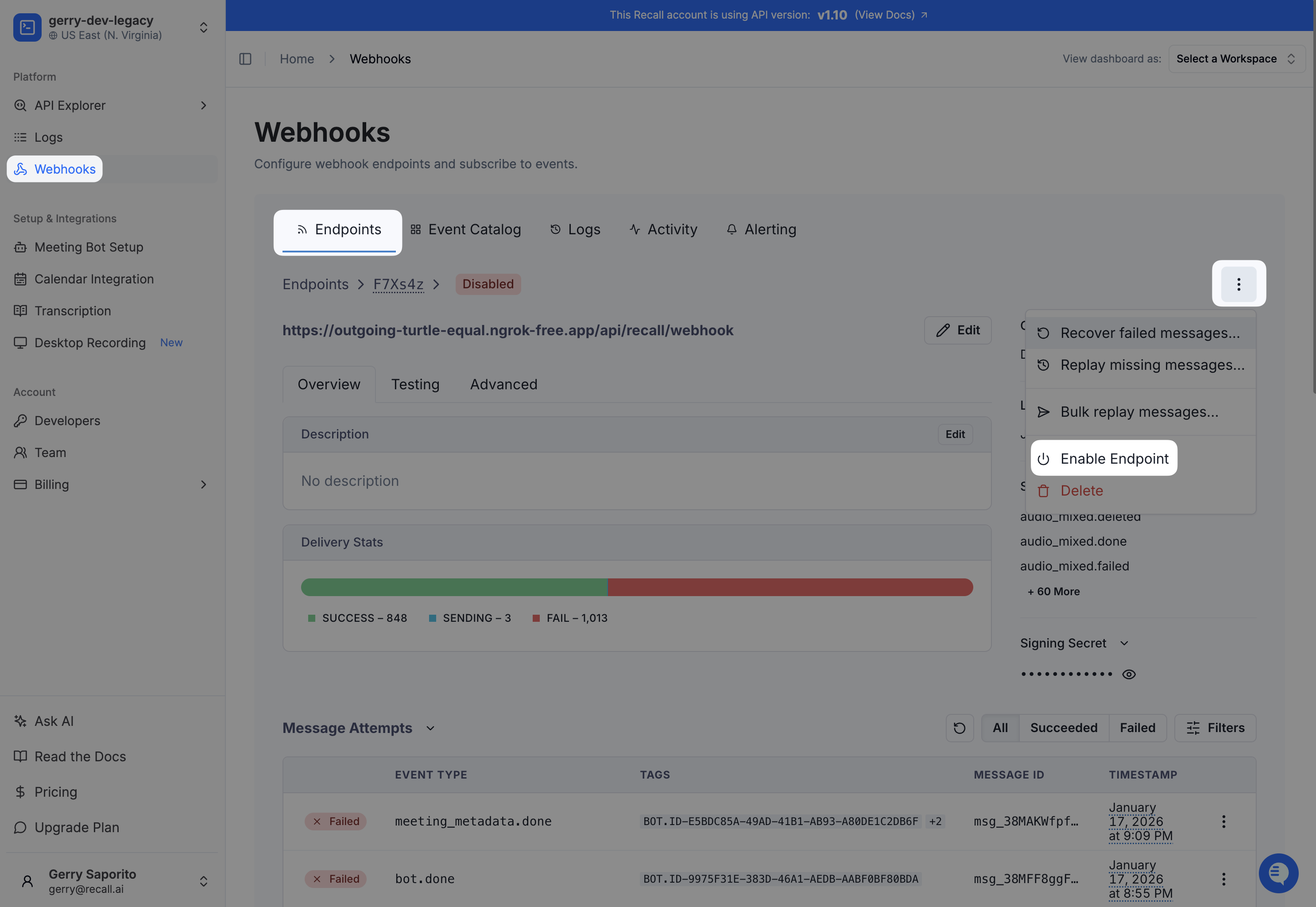
You can also set alerts to notify you via email when a webhook endpoint has been automatically disabled (see callout at top of doc to find your region's webhooks dashboard link).
What IP addresses are webhooks sent from?
You may want to whitelist IP addresses for webhook delivery depending on your security requirements.
- Svix webhooks are sent from static IPs
- Real-time endpoint webhooks are not sent from static IPs so you are not able to whitelist real-time endpoint webhooks
Are custom query parameters/variables passed through the webhook URLs?
Yes! You can pass through custom webhook parameters for both svix and real-time endpoint webhook URLs. For example, you can set a custom query param for each workspace like the following:
?env=dev?env=staging?env=production
You will then receive this query param in the request URL when receiving webhook events.
Can I set webhook URLs dynamically for each bot?
Yes! We support routing bot status and recording webhooks to different URLs per bot on API v1.11, including for temporary staging or preview environments.
Contact support with your workspace and region to enable this. Once enabled, set dynamic_webhook_url in the bot’s metadata when creating it to specify the destination URL.
Will the webhook response ever change?
No, you should not expect the webhook response to change under any conditions. Recall will not push breaking changes and are committed to supporting every version of the API forever. If you have any concerns about this or are seeing issues otherwise, reach out to [email protected]
How do I replay failed webhooks that has exceeded the retry schedule?
Sometimes your webhook endpoint may not be responding to webhooks properly, due to an accidental code, cloud provider downtime, etc.In this case, it can be helpful to replay failed webhook attempts.
Replaying failed Svix webhooks
Svix webhooks can also be retried via the Recall.ai MCP
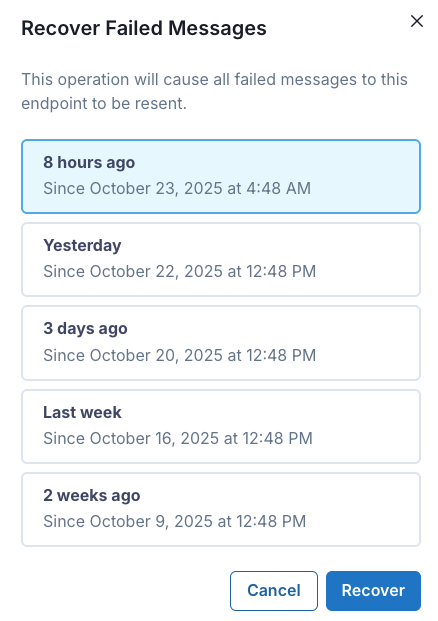
You can do this by going to the Webhooks page in the Recall.ai dashboard, selecting your webhook endpoint, and clicking Recover failed messages:
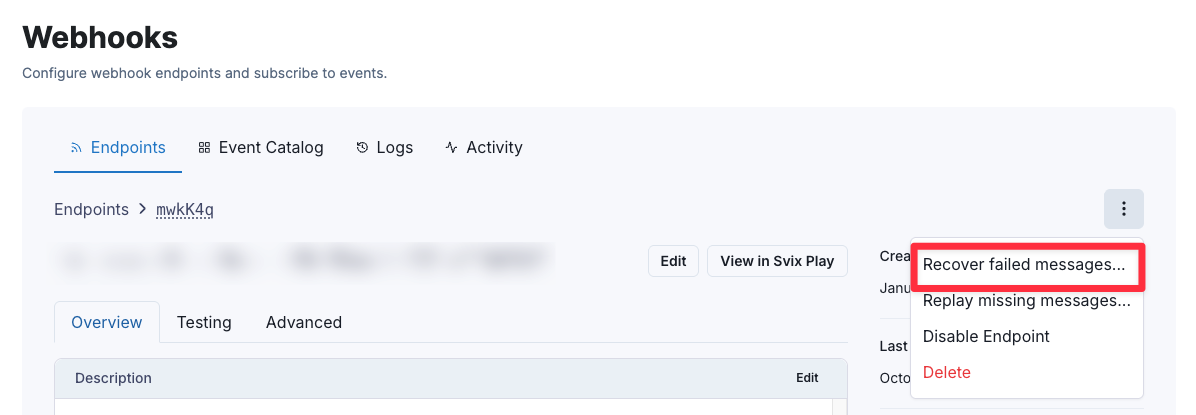
From there, you can select the time window for which you want to replay failed messages for:
Replaying failed real-time endpoint webhooks
It is not possible to replay a real-time endpoint webhook once the retry policy has completed. That said, you can still query the data async after the meeting has ended as long as the recording media has not expired.