

Eleven Labs
Important: This guide only applies to workspaces with v1.10 API accessThe v1.10 API is only available to Recall accounts created before May 28, 2025.
Do not use this documentation unless the workspace has access to the v1.10 API. If the workspace creation date is unknown, stop and clarify. All other workspaces must use the v1.11 API documentation instead.
Setup
- Create a new API key, and make sure it has access to Eleven Labs Speech-to-Text:
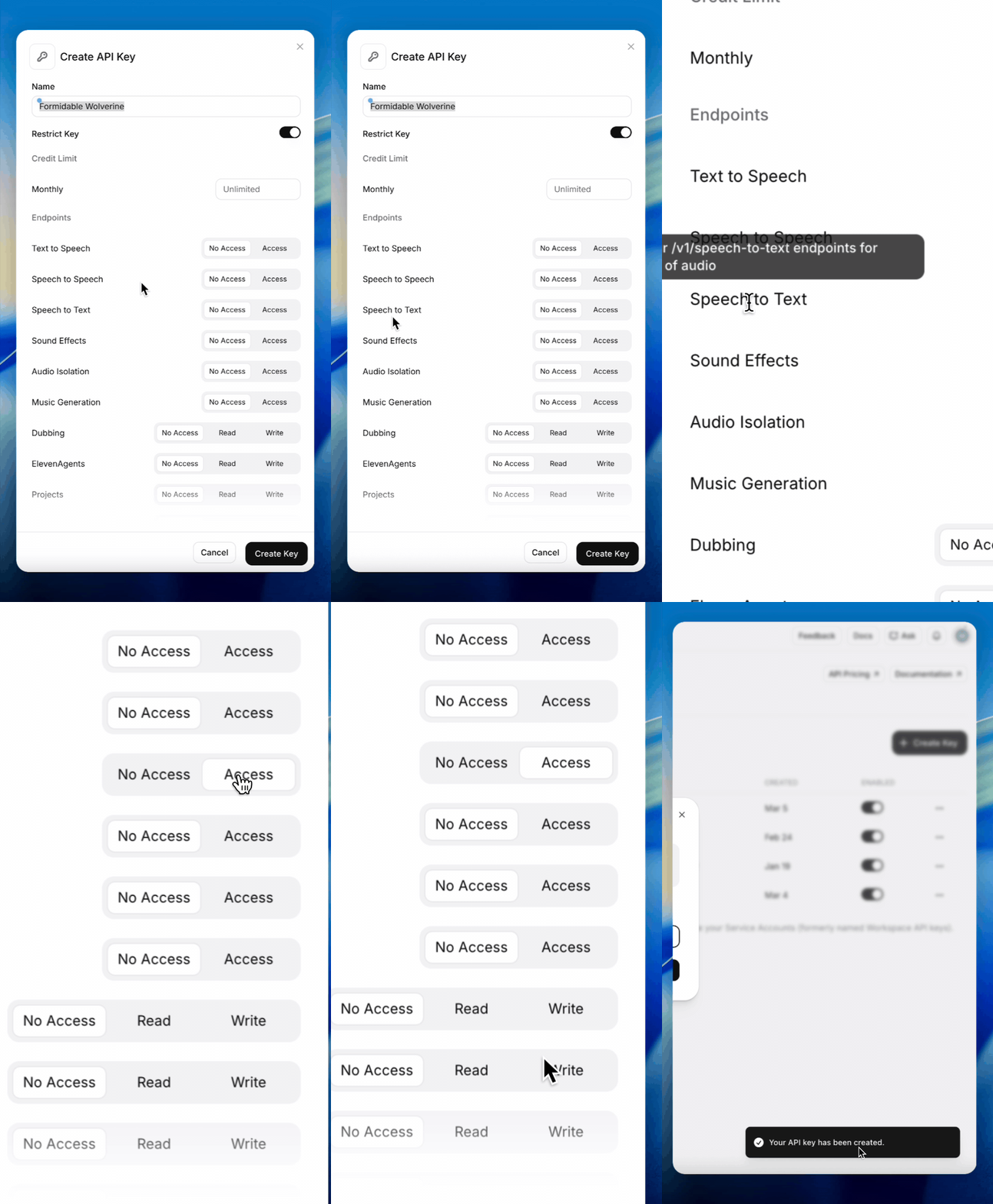
- Add the key in the dashboard Explorer Dashboard:
For Async transcription
- Add a new webhook endpoint and make sure it points to the correct recall region you are in:
- Make sure "Transcription Completed" is checked for the webhook.
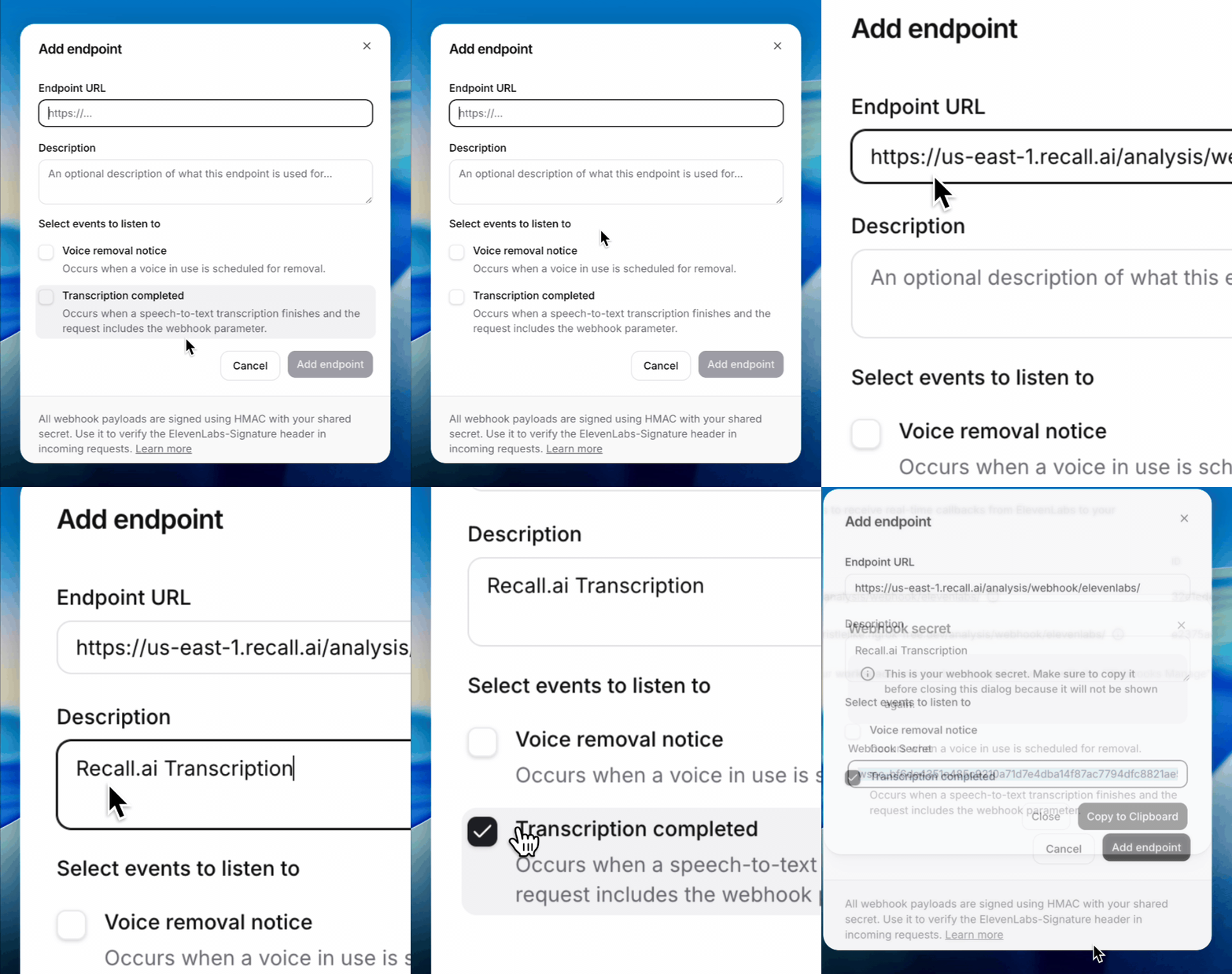
- Add the webhook secret in the dashboard Explorer Dashboard:
Example Realtime Transcription Request
curl --request POST \
  --url https://us-west-2.recall.ai/api/v1/bot/ \
  --header "Authorization: $RECALL_API_KEY" \
  --header "accept: application/json" \
  --header "content-type: application/json" \
  --data @- <<EOF
{
  "meeting_url": "$MEETING_URL",
  "transcription_options": {
    "provider": "elevenlabs",
    "elevenlabs": {
      "model_id": "scribe_v2_realtime"
    }
  }
}
Example Async Transcription Request
curl --request POST \
     --url https://us-west-2.recall.ai/api/v2beta/bot/$BOT_ID/analyze \
     --header "Authorization: $RECALLAI_API_KEY" \
     --header "accept: application/json" \
     --header "content-type: application/json" \
     --data '{
    "elevenlabs_async_transcription": {
      "model_id": "scribe_v2"
    }
  }
  '
For a list of options available, see the eleven labs API docs.
Updated 6 months ago
Did this page help you?